Navigating Dashboard statistics
Use your Dashboard to quickly view relevant statistics. You can click on the calendar icon top right to adjust the time period shown.
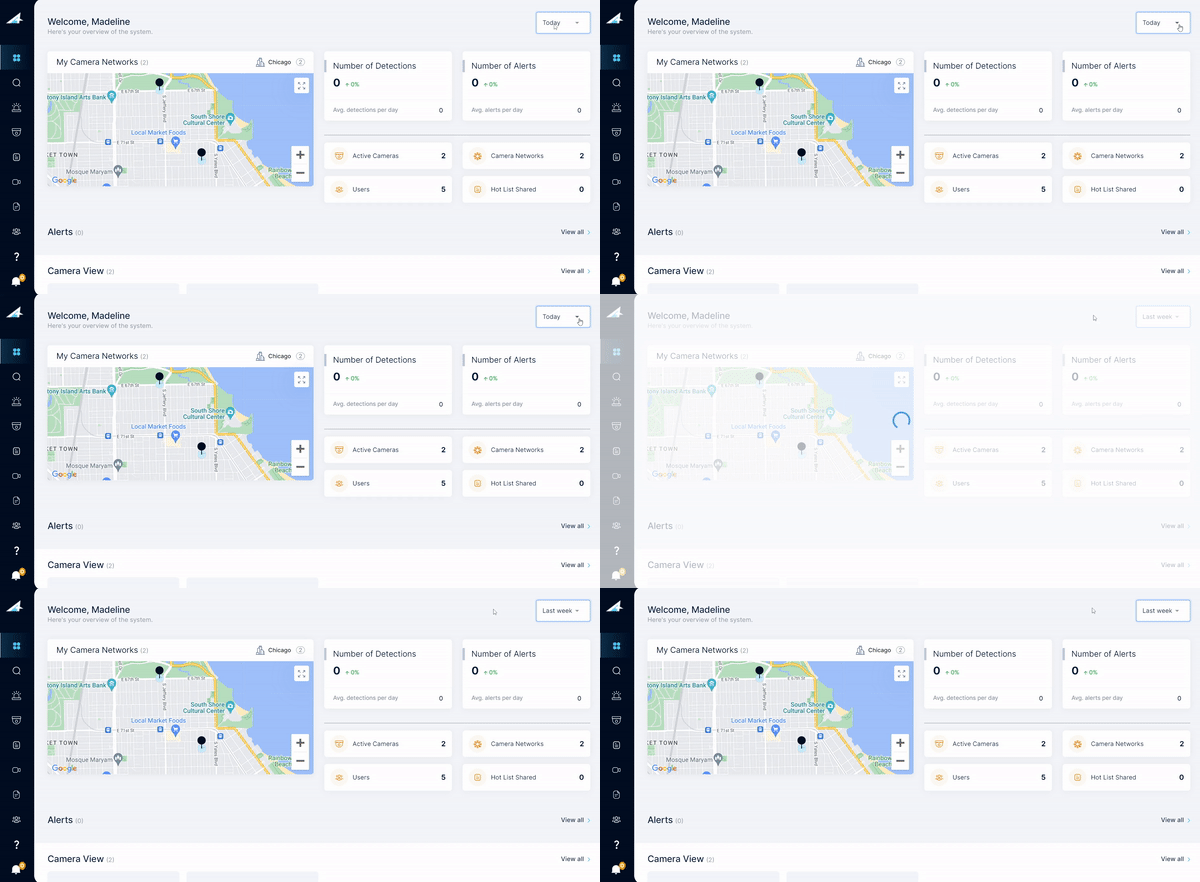
The Dashboard statistics include:
| Statistic |
Explanation |
| Number of Detections |
- The number of license plates detected during the selected time period
- This statistic also shows the running detections average and percentage increase/decrease over the selected time period compared to a previous comparable time period
- If you choose to display one week, the +/- will show a comparison to the previous week. If you choose to display one month, the +/- will show a comparison to the previous month.
|
|
Number of Alerts
|
- The number of detections that correspond to hot list entries during the selected time period
- The statistic also shows the running alert average and percentage increase/decrease over the selected time period compared to a previous comparable time period
- If you choose to display one week, the +/- will show a comparison to the previous week. If you choose to display one month, the +/- will show a comparison to the previous month.
|
|
Active cameras
|
- Number of active cameras within your organization
|
|
Camera networks
|
- Number of camera networks within your organization
|
|
Users
|
|
|
Hot lists shared
|
- Number of hot lists shared with other organizations
|

Comments
0 comments
Please sign in to leave a comment.